

- Joined
- Dec 19, 2021
- Messages
- 1,178
- Points
- 83
Hello all,
I'm happy to announce Cactus 4.0.0 (yes that's right, I bumped it from 3.2.0 to 4.0.0)! There's a lot of nice improvements, bug fixes, and simplifications in this particular release. The major parts are that:
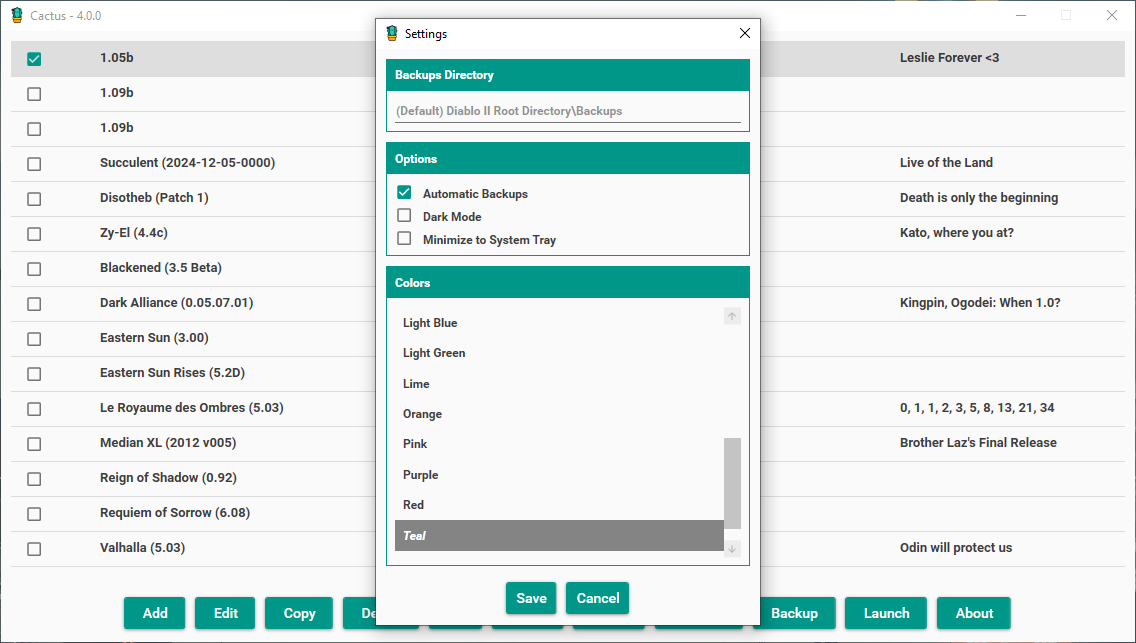
We can see how the new Settings screen looks like without having to set the Root Directory anymore. Due to the increased space, I've expanded the amount of colors that can be seen at once to 8 :
:
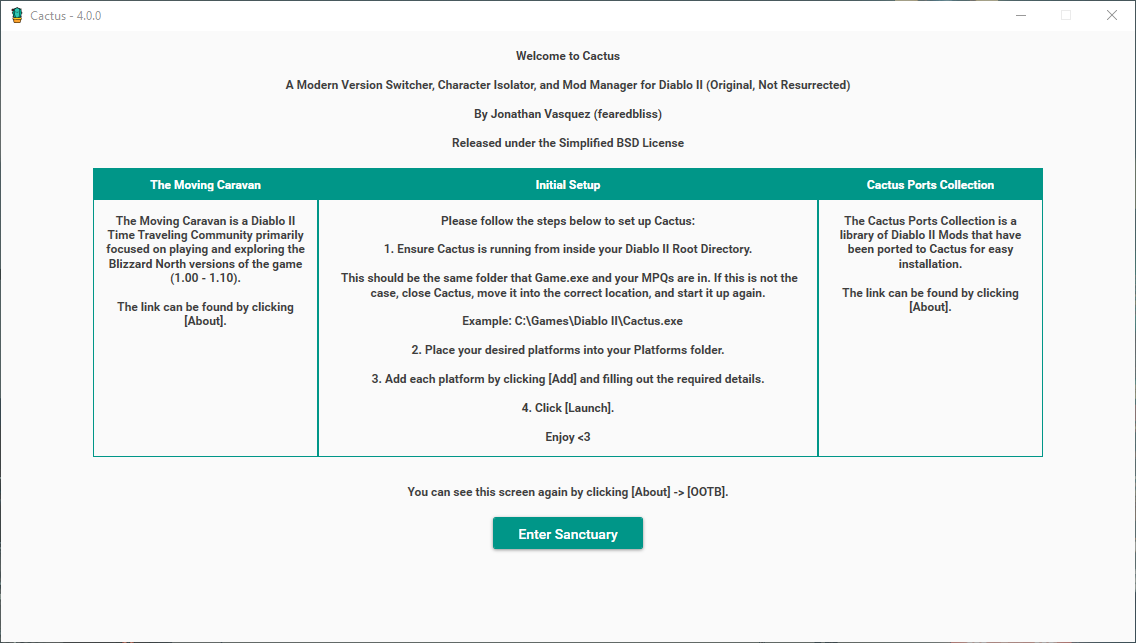
For the second bullet, I never liked that the new OOTB window was sticking out of the main window container, and I've finally gotten time to think and re-look at this screen. Behold the new OOTB screen:
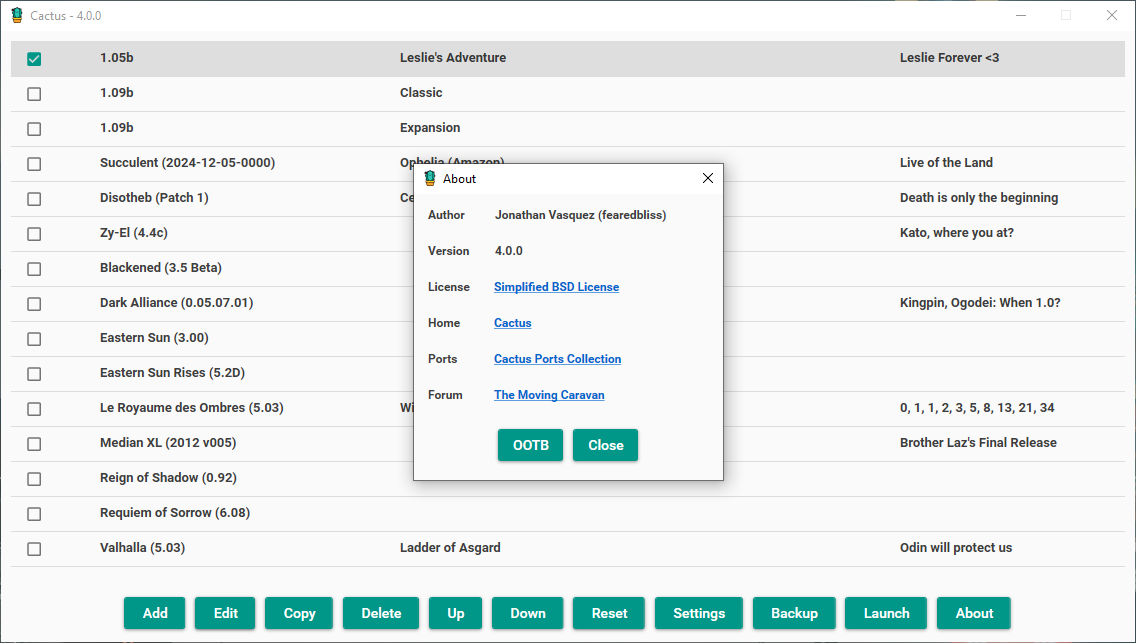
You are also able to re-visit this screen easily by clicking [About] -> [OOTB]. This is good if you ever want to re-look at these instructions. You can of course also take a look at the README.md that already comes with Cactus.
Besides this, there are a bunch of bug fixes, small optimizations, and general improvements. You can check out the full release notes below. As always, you can get the latest release from the Resource Manager or the Cactus page.
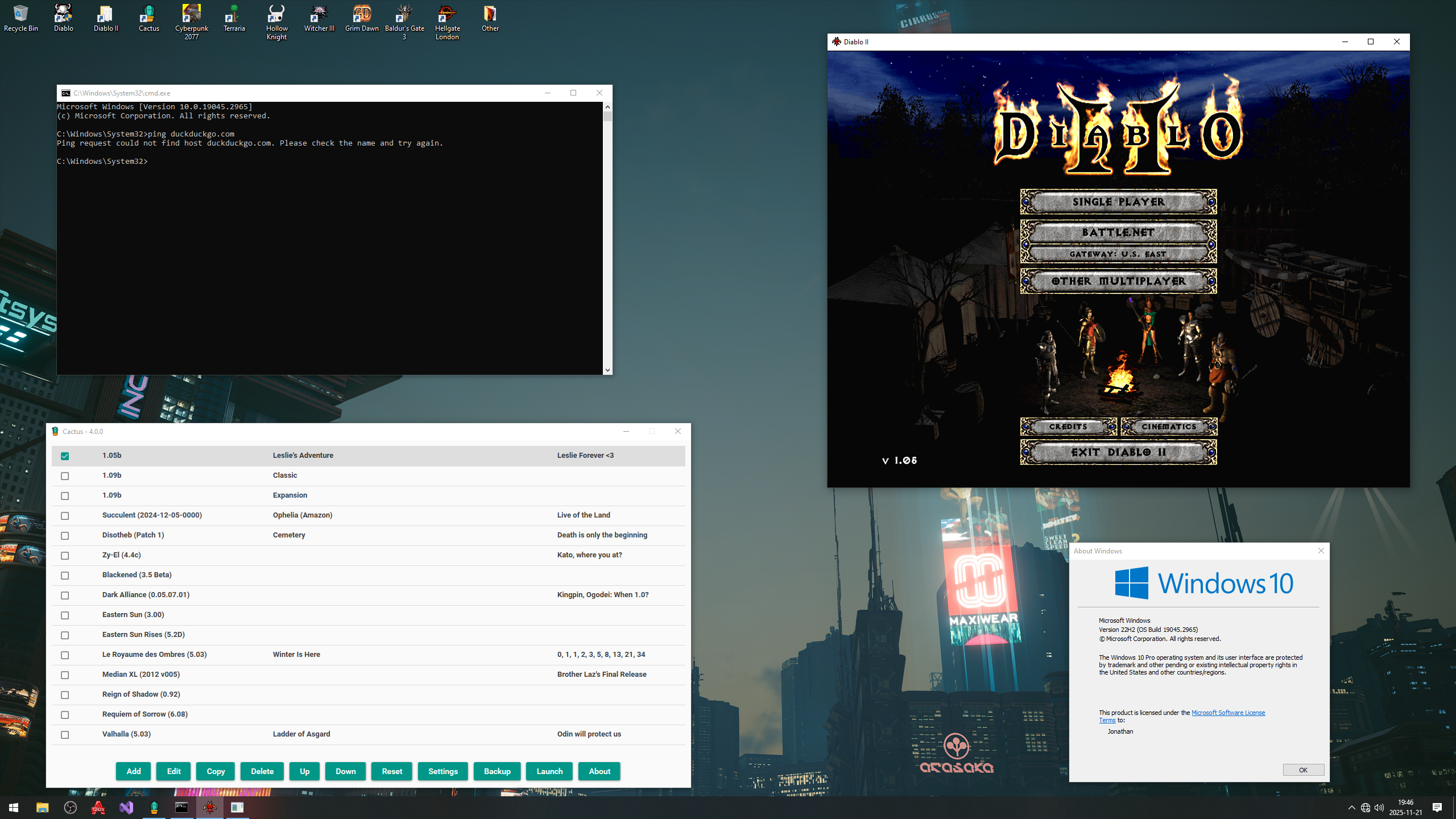
And of course, it still works offline and on FreeBSD/Linux:

Take care and stay safe,
Jonathan
Patch Notes
I'm happy to announce Cactus 4.0.0 (yes that's right, I bumped it from 3.2.0 to 4.0.0)! There's a lot of nice improvements, bug fixes, and simplifications in this particular release. The major parts are that:
- You no longer need to set the "Diablo II Root Directory" in the settings.
- There is a new OOTB screen which looks way better, has slightly better instructions due to the simplifications above, and you can launch the OOTB screen again if you need to take a look at it again.
We can see how the new Settings screen looks like without having to set the Root Directory anymore. Due to the increased space, I've expanded the amount of colors that can be seen at once to 8
:For the second bullet, I never liked that the new OOTB window was sticking out of the main window container, and I've finally gotten time to think and re-look at this screen. Behold the new OOTB screen:
You are also able to re-visit this screen easily by clicking [About] -> [OOTB]. This is good if you ever want to re-look at these instructions. You can of course also take a look at the README.md that already comes with Cactus.
Besides this, there are a bunch of bug fixes, small optimizations, and general improvements. You can check out the full release notes below. As always, you can get the latest release from the Resource Manager or the Cactus page.
And of course, it still works offline and on FreeBSD/Linux:
Take care and stay safe,
Jonathan
Patch Notes
Code:
Improvements
-------------

- The Diablo II Root Directory is now automatically set and does not need
  to be manually specified by the user.

  For a very long time, the Cactus installation instructions have guided the
  user to make sure that they place Cactus and all of its files inside the
  Diablo II Root Directory, or weird things will happen when taking screenshots,
  or running mods via the -direct -txt flag. Since Cactus was already in this
  directory, we can now automatically assume and enforce this behavior in the
  code. This means that the user no longer needs to manually specify nor worry
  about this as much. They just need to install Cactus to the correct location
  (the folder that contains your Game.exe and the MPQs), and that's it. Everything
  will be automatically set and working when you launch Cactus. This massively
  simplifies user installation, UI/UX, and the code base.

  If you are using Cactus outside of your Diablo II Root Directory, you simply
  need to move it inside that folder in order for everything to automatically
  work again.

  Additionally, since this cleared up a good amount of room in the Settings,
  I have now modified the size of that window so you can see up to 8 colors
  at once :D!

- The Out of the Box Experience (OOTB) screen has been re-designed. It is now
  much more pleasing to the eye, and no longer pops out of the Main Window.

- You can now see the OOTB screen again by clicking [About] -> [OOTB].

  This is useful since one may want to re-visit the initial instructions
  or other information at a later date.

- Slightly re-arranged the Main Window buttons.
- The Note is now also copied when you copy an Entry.

Bug Fixes
----------

- Fixed a bug where the backup directory wasn't being checked for existence
  when modified.
- Fixed a bug where the Automatic Backups setting and the Backups Directory
  were allowed to be changed while the game was running. This prevents any
  confusion and ensures that the proper settings are in effect while you are
  playing the game.
- Removed some secondary message boxes that were showing up in some situations
  when changing settings.
- Fixed a bug where text inside the OOTB screen was selectable, causing
  a horizontal line to appear at the bottom of the box.
- Buttons no longer stay focused after the first click.
Last edited:


